
Coding agents don’t have to be just for writing code. At their core, they’re for building repositories of knowledge—and that changes what’s possible for anyone doing any sort of complex knowledge work, not just software engineers.
Matt Shumer’s viral post, “Something Big Is Happening,” laid out a stark timeline: AI labs focused on coding first because code is the lever that builds better AI. Software engineers were the first to feel the ground shift—not because they were the target, but because they were standing on the launchpad. Shumer describes telling an AI what he wants, walking away for four hours, and coming back to a finished product. No corrections needed.
He’s right about the trajectory. But there’s a dimension he and most commentators are missing—one that matters especially for the rest of us who aren’t software engineers. The real power of coding agents isn’t that they do work for you. It’s that they let you build a persistent base of knowledge you can think with over time.
I came to this from a different angle. I’m not a software engineer, but I spent over a decade managing technology projects at the National Democratic Institute and on Capitol Hill. My job was translating between technical teams and institutional stakeholders, not writing the code myself.
Then I got laid off, and the usual buffers disappeared—no team to rely on for technical advice, no vendors to turn to for support, no sprint cycles limiting the scope of what I could do. I started using coding agents because I had real problems to solve and no one to hand them to. But I also had a genuine curiosity about a field moving faster than anything I’d seen in my career. That curiosity has since shaped my consulting work—projects ranging from AI bias assessment to open-source civic tech.
What I found surprised me. The coding agent wasn’t just helping me write code. It was giving me a workspace where I could load reference documents, build on previous sessions, and develop structured thinking across weeks of work—something no chatbot had ever offered. It was the first AI tool that felt less like a novelty and more like a genuine working environment. That experience is what convinced me that these tools represent an unlock that most people outside of software engineering don’t yet realize is available to them.
What is a Coding Agent Anyway?
If you haven’t used one, a coding agent is an AI that operates inside an integrated development environment (IDE)—the software workspace where code is written, run, and debugged—where it can read, write, and modify files across an entire project. Tools like Windsurf and Cursor connect to frontier models from OpenAI and Anthropic via their APIs, giving you a conversational interface that can see and manipulate your whole workspace.
If you’ve only used ChatGPT or Claude through a chat window, this is a fundamentally different experience. In a chat, the AI’s memory lives in the conversation. When the conversation ends, the context is gone. You start fresh every time. The model might remember what you said ten messages ago, but it has no persistent, structured understanding of what you’re building outside of the conversation. Some chatbots get around this by curating a notepad of your previous conversations—but that’s frequently done without your knowledge or input, and the result is a lossy, opaque summary rather than a structured body of work you control.
In an IDE, the memory lives in the repository. Every file, every folder, every document you add becomes part of a growing body of context that any new session can draw on. You’re not just having a conversation—you’re developing a running knowledge base that you can feed back into the next session, or hand to a different agent entirely. Multiple agents can work on the same project. The context accumulates rather than evaporating.
This is the difference between in-context learning—the AI’s ability to use what you’ve told it within a single conversation—and building a repository of knowledge. In-context learning is powerful but ephemeral: the model gets smarter within a session but starts from zero the next time. A repository is persistent. It compounds.
The Offloading Trap
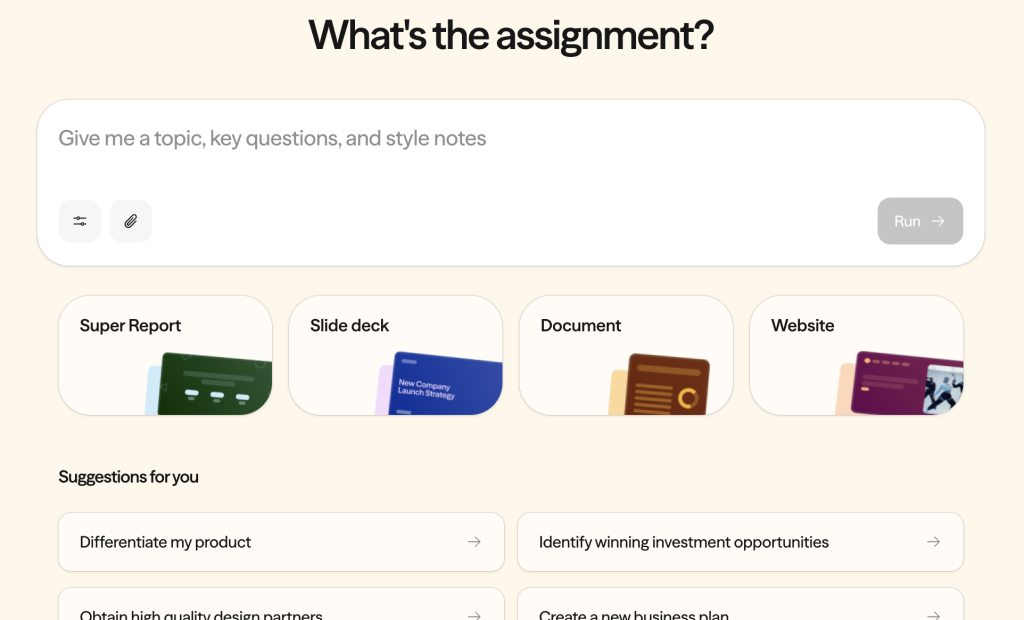
Not all AI tools get this right. I recently tested Airtable’s Superagent for building a presentation. The tool is autonomous by default: it generates output through a lengthy thinking process, but when I tried to shift from “generate a draft” to “collaborate on refinements,” the system resisted. It defaulted to its own style, rolled back toward its preferences, and didn’t give me an editable output I could iterate on. I spent more time reacting to the AI than thinking with it.
The problem wasn’t capability—it was interaction design. Superagent optimized for cognitive offloading: hand over the task, get back a finished product. That works when you want a first draft you don’t care much about. It fails when accuracy, framing, and judgment matter—which is most of the time in professional work.
Coding agents solve this problem architecturally. Because the output lives in files you can see, edit, and version-control, the collaboration model is fundamentally different. The AI proposes changes; you accept, reject, or modify them. Each round builds on what’s already there. It’s closer to working with a colleague than delegating to an assistant—a shift I described in “The End of the Product Manager (As We Knew It).” The tracked-changes, diff-based workflow I suggested to the Superagent team? That’s just how coding agents already work.
The Current Moment
Shumer’s post captures something important about where we are: the AI labs built coding capability first because it’s the flywheel that accelerates everything else. AI that writes code can help build the next version of itself. OpenAI’s GPT-5.3 Codex was, by their own account, “instrumental in creating itself.” The recursive loop is already running.
Here’s what that means for everyone else. The frontier labs are pouring resources into making coding agents better—not just because they want to automate software engineering, but because the coding agent paradigm is the most powerful interface they’ve found for AI to do complex, multi-step, persistent work. The investment in coding agents is, in effect, an investment in the general-purpose AI workspace. Software engineers are the first to benefit, but the architecture is domain-agnostic—and already accessible to anyone willing to try it.
The repository model doesn’t care whether the files contain Python scripts or policy analysis. It works the same way. And as these tools improve—as the models get better at judgment, at synthesis, at maintaining coherence across large projects—the gap between “coding agent” and “knowledge work agent” will close entirely.
What This Looks Like in Practice
I’ve been using coding agents for work that goes well beyond shipping software:
- Research synthesis: Loading a project with dozens of source documents—reports, articles, transcripts—and asking the agent to identify patterns, contradictions, and gaps across the full corpus.
- Data analysis: Cleaning, transforming, and exploring datasets directly in the workspace—writing scripts to normalize messy data, generate visualizations, or test hypotheses, all within a project that retains the logic and context between sessions.
- Writing and editing: Drafting in a repository where the AI can reference my previous work, style preferences, and source material simultaneously, then proposing edits I can accept or reject line by line.
- Structured analysis: Building frameworks and templates that persist across sessions, so each new analysis builds on the last rather than starting from scratch.
- Knowledge management: Developing living documents that accumulate institutional knowledge in a format that’s both human-readable and AI-accessible.
- Building applications: And yes, coding agents are also for coding. I’ve used them to build web applications, wire together APIs, and deploy tools—work I previously would have contracted out. You don’t need to be an engineer; the agent handles the implementation while you focus on what the tool needs to do.
Most of this doesn’t require writing code. What it requires is understanding that the IDE is a workspace, not just a code editor—and that the repository is a knowledge base, not just a codebase.
The Honest Version
Shumer writes that he kept giving people “the polite version” of what’s happening with AI, “because the honest version sounds like I’ve lost my mind.” I know the feeling. But I’m also not prepared to hand over my agency to AI—and my honest version is about a different gap: the most powerful AI collaboration tools available right now are coding agents, and most people don’t yet realize they’re available to anyone, regardless of technical background.
Here’s what I want people to take away: you can build a workspace where AI thinks with you over time, not just in a single conversation. That’s what a repository gives you. And the tools to do it—coding agents—are available to anyone right now, for the cost of a subscription. You don’t need to write code. You don’t need a technical background. You just need to open the door.